Features
Drag the sliders: first the lettering is erased, then the translation is set in.
From page to chapter
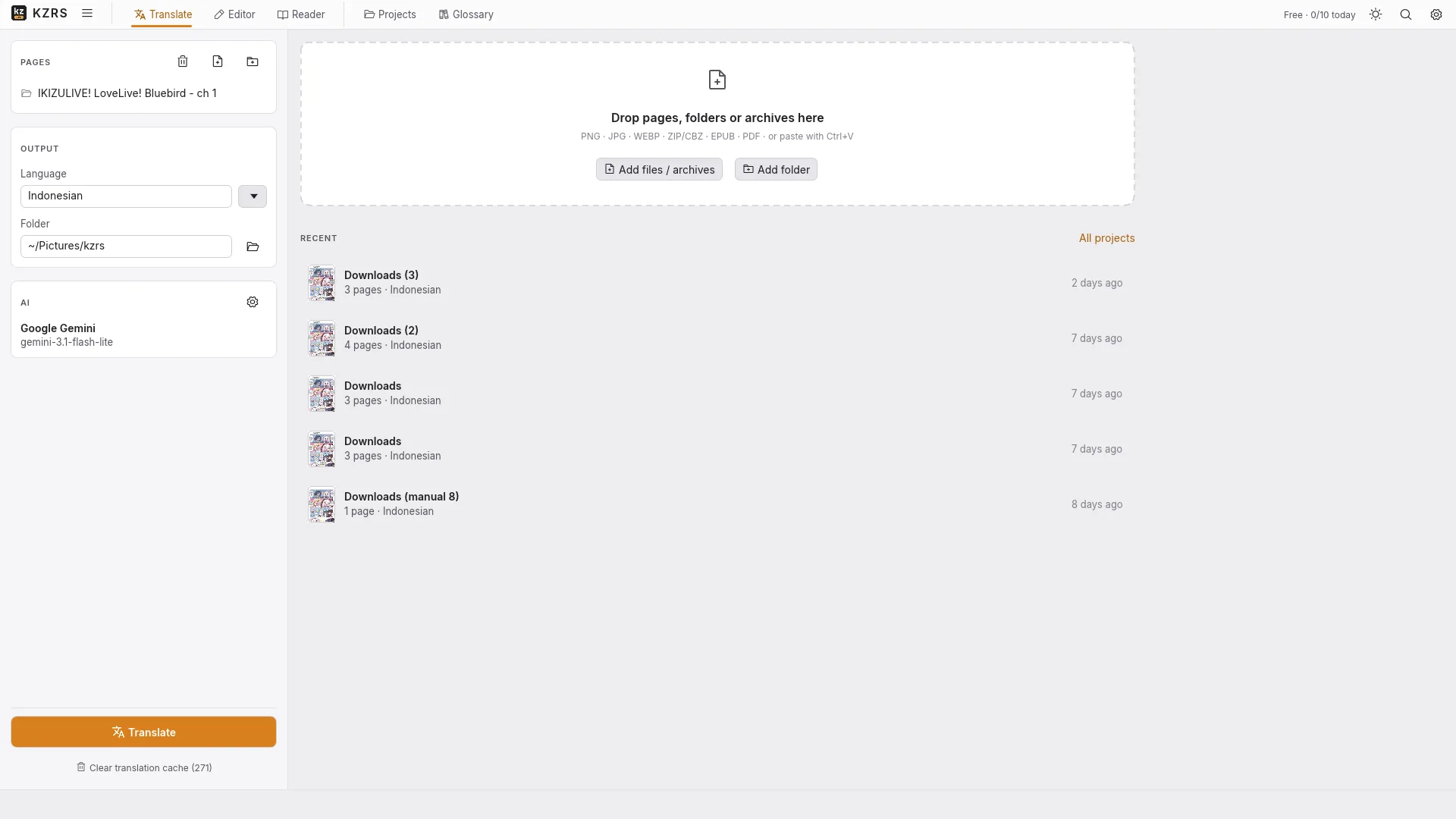
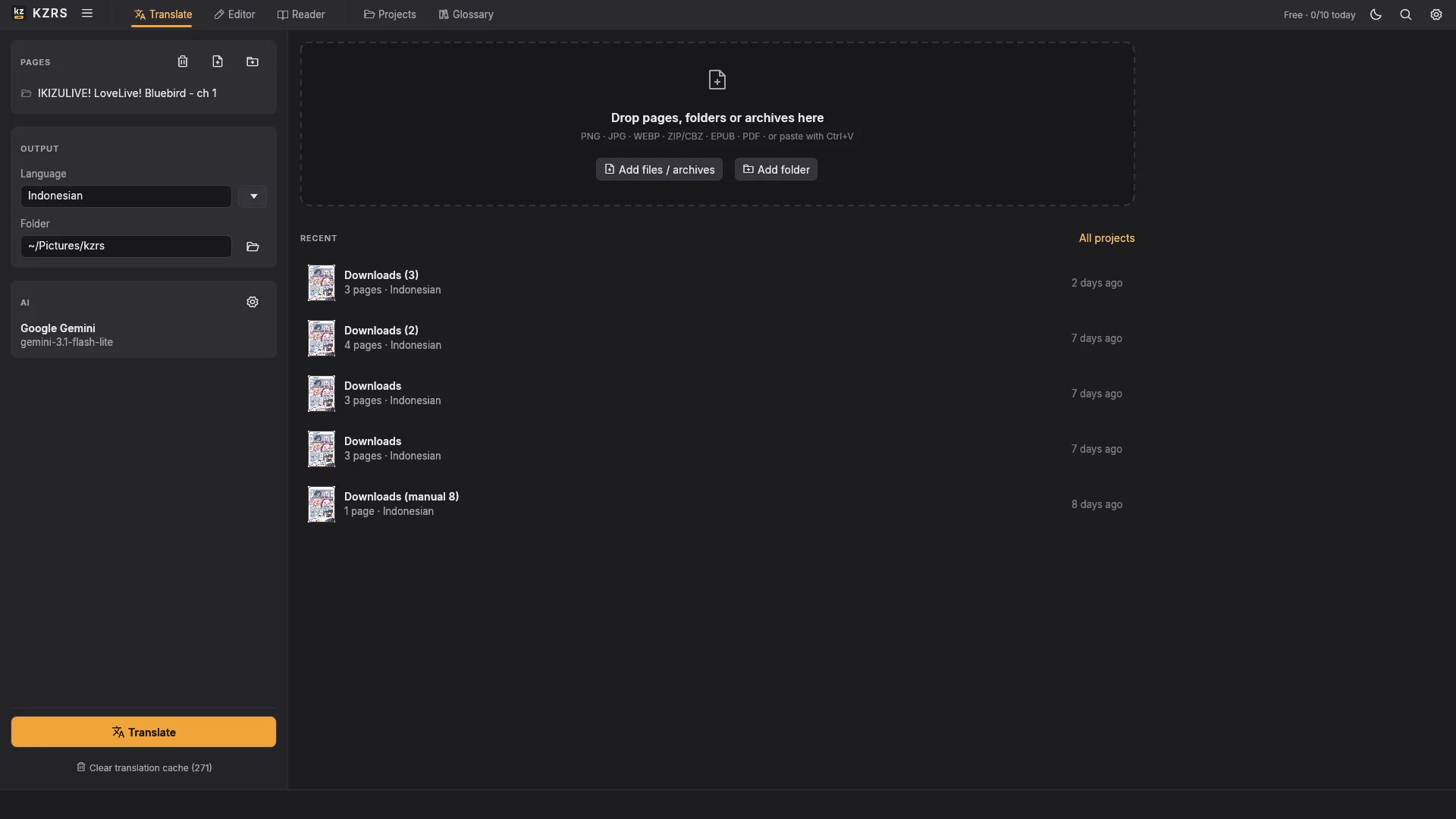
- 1 Import
Images, folders, ZIP / CBZ, EPUB or PDF.
Editable: Reorder pages, add more files.
- 2 Detect
Finds speech bubbles and text boxes on each page.
Editable: Draw, move or delete boxes.
- 3 OCR
Reads the Japanese, Chinese, Korean or English text in each box.
Editable: Fix any line, or read one box again.
- 4 Translate
Sends only the text to the AI you pick.
Editable: Re-translate one bubble, set the glossary.
- 5 Clean
Erases the lettering with LaMa or Telea.
Editable: Brush, restore or erase by hand.
- 6 Typeset
Sets the translation in comic fonts, sized to fit.
Editable: Font, size, colour, outline and rotation per box.
- 7 Export
Exports to CBZ, PDF or one .kzrs project file.
Editable: Choose pages and their order.
Every step stays editable.
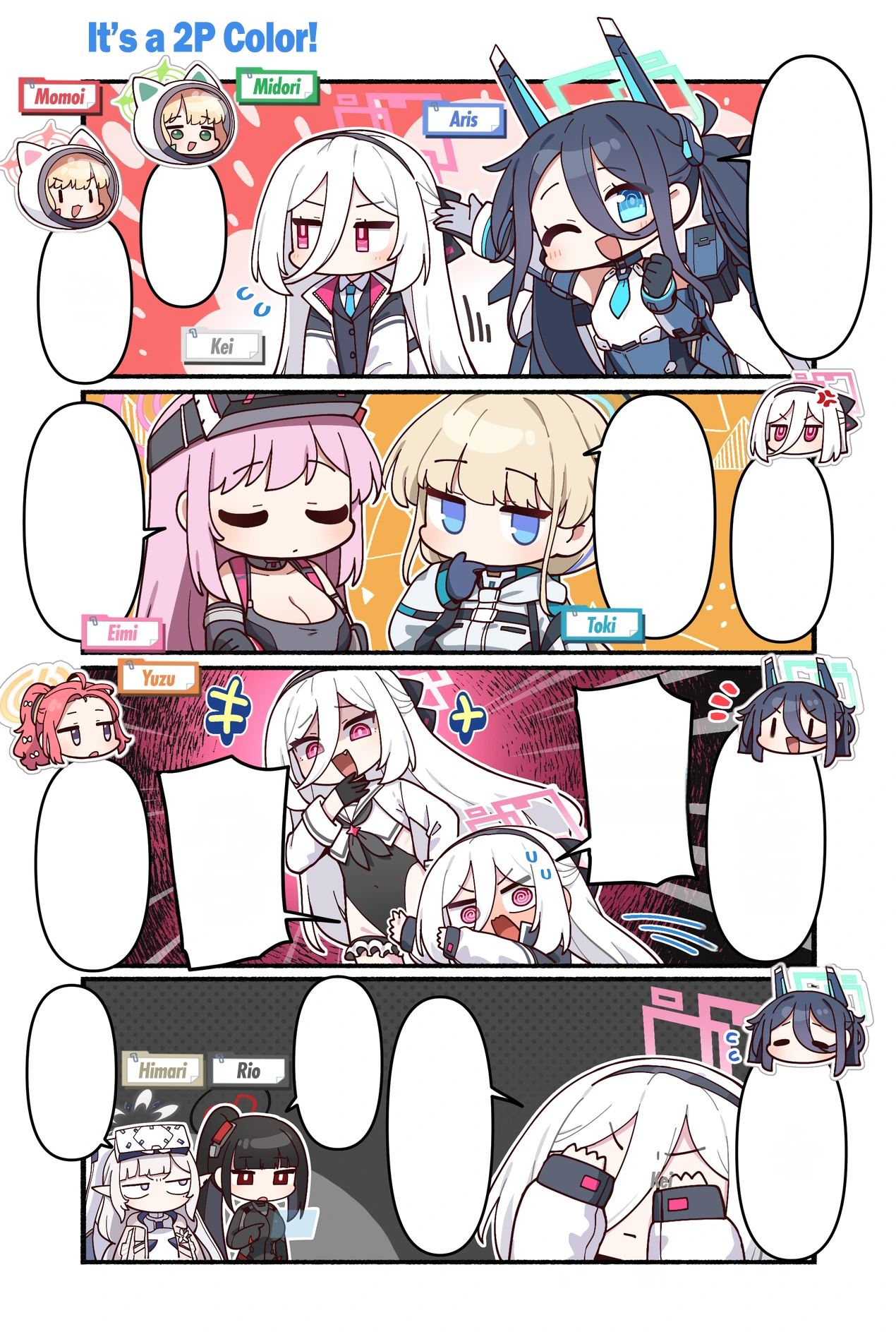
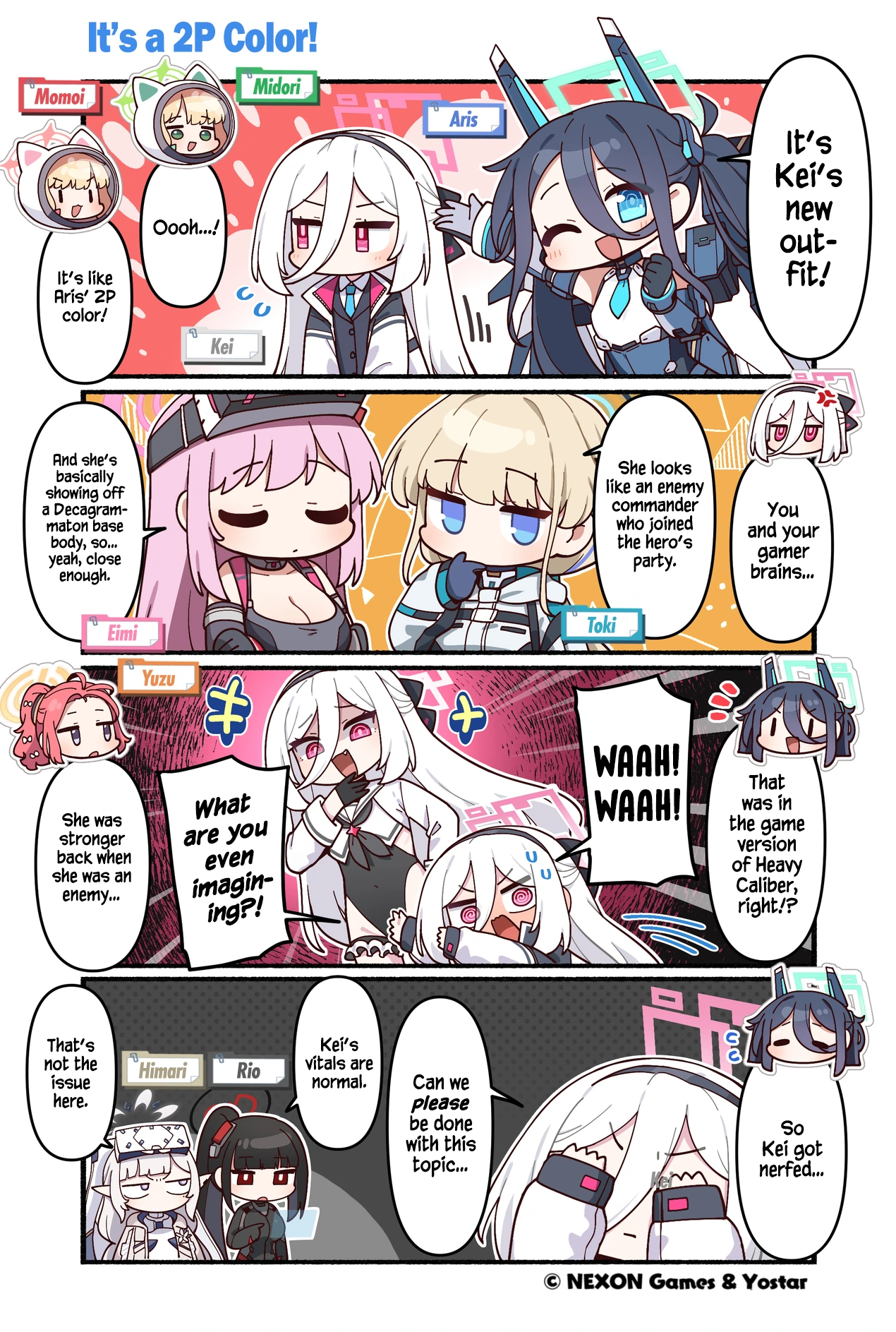
Before and after cleaning
The original lettering is erased and the art behind it rebuilt with LaMa or fast Telea, so nothing of the old text shows through.
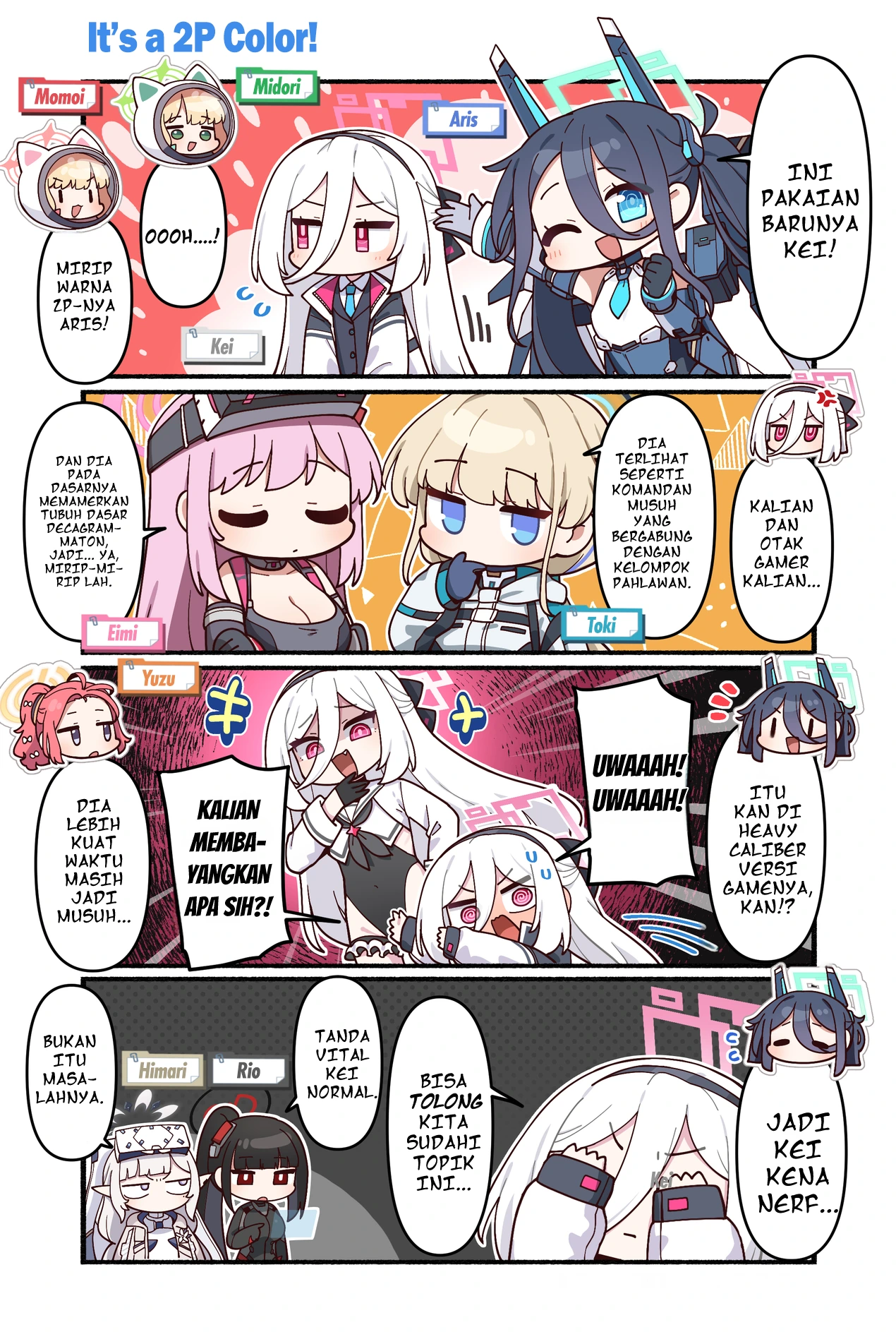
Before and after translating
The translation is set into each bubble with a comic font, sized and broken into lines to fit its shape.
Screenshots
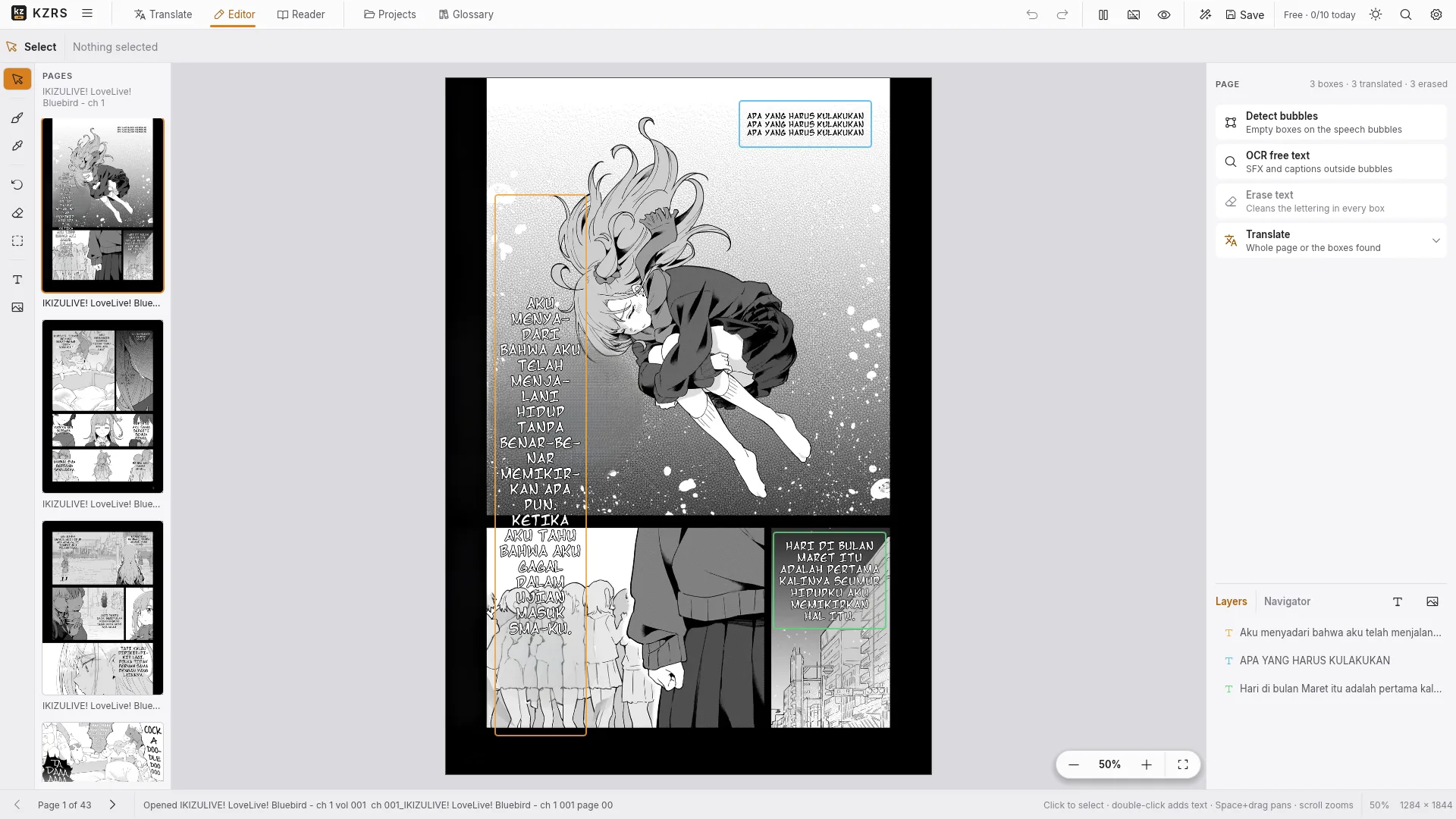
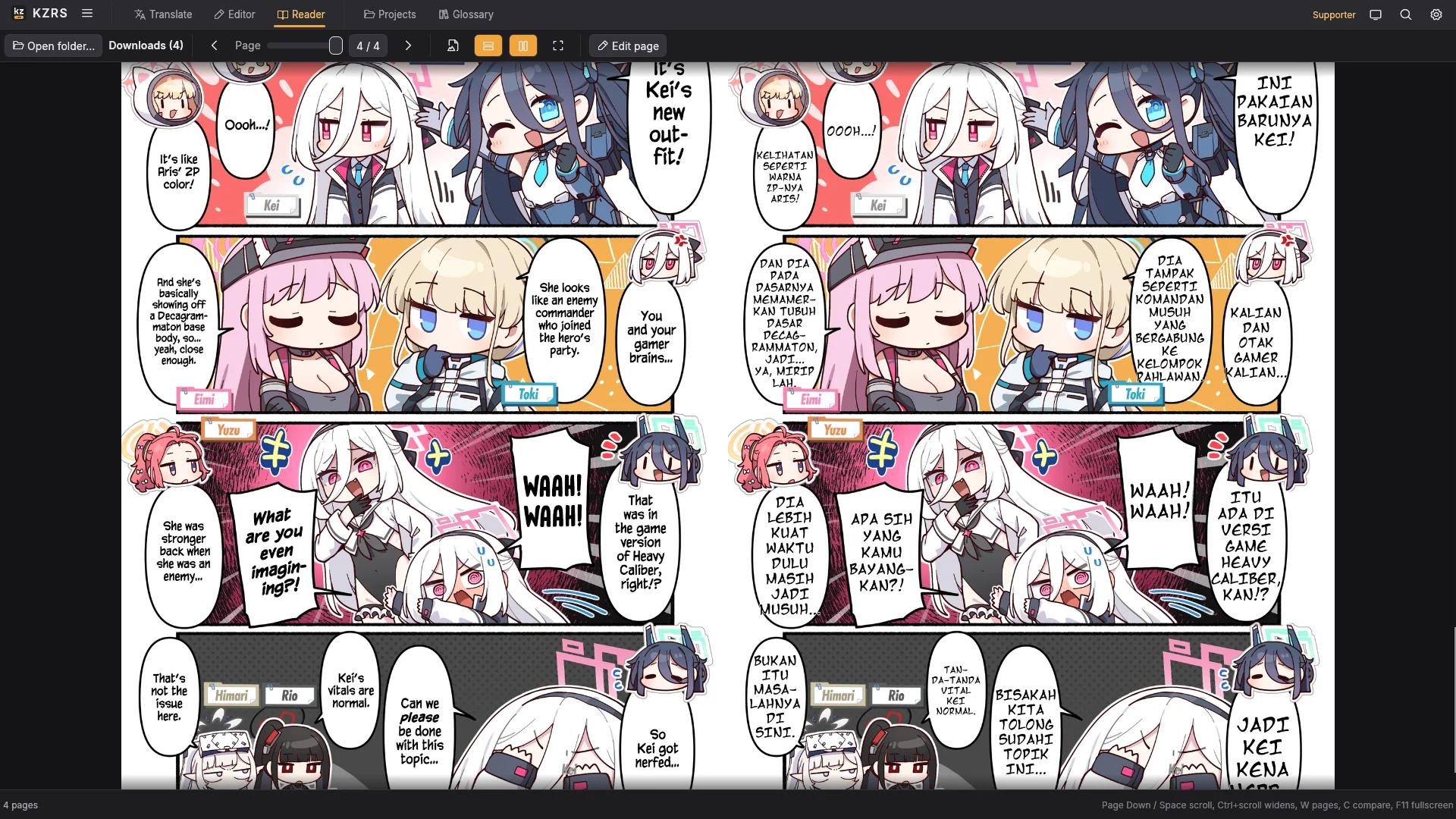
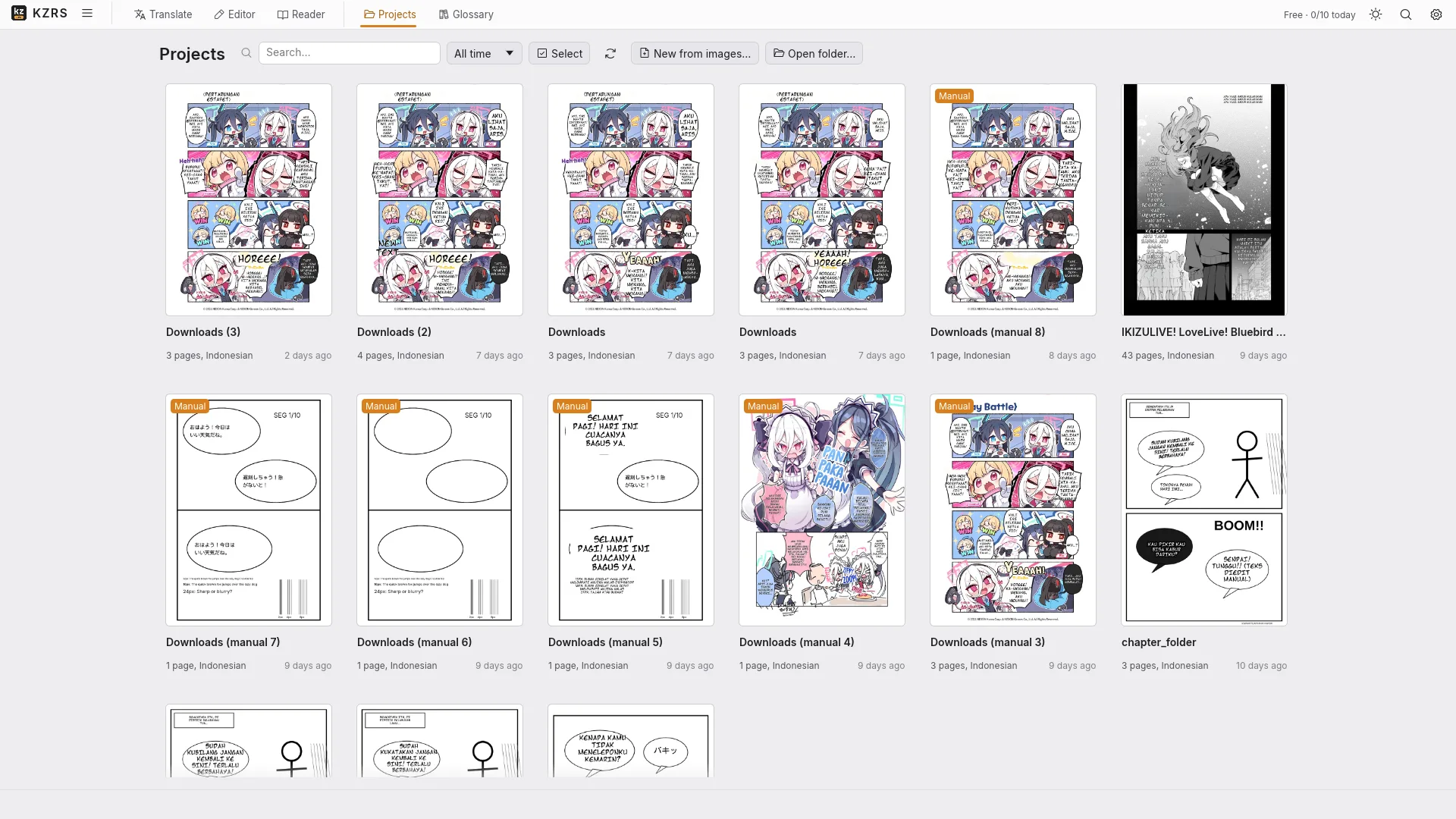
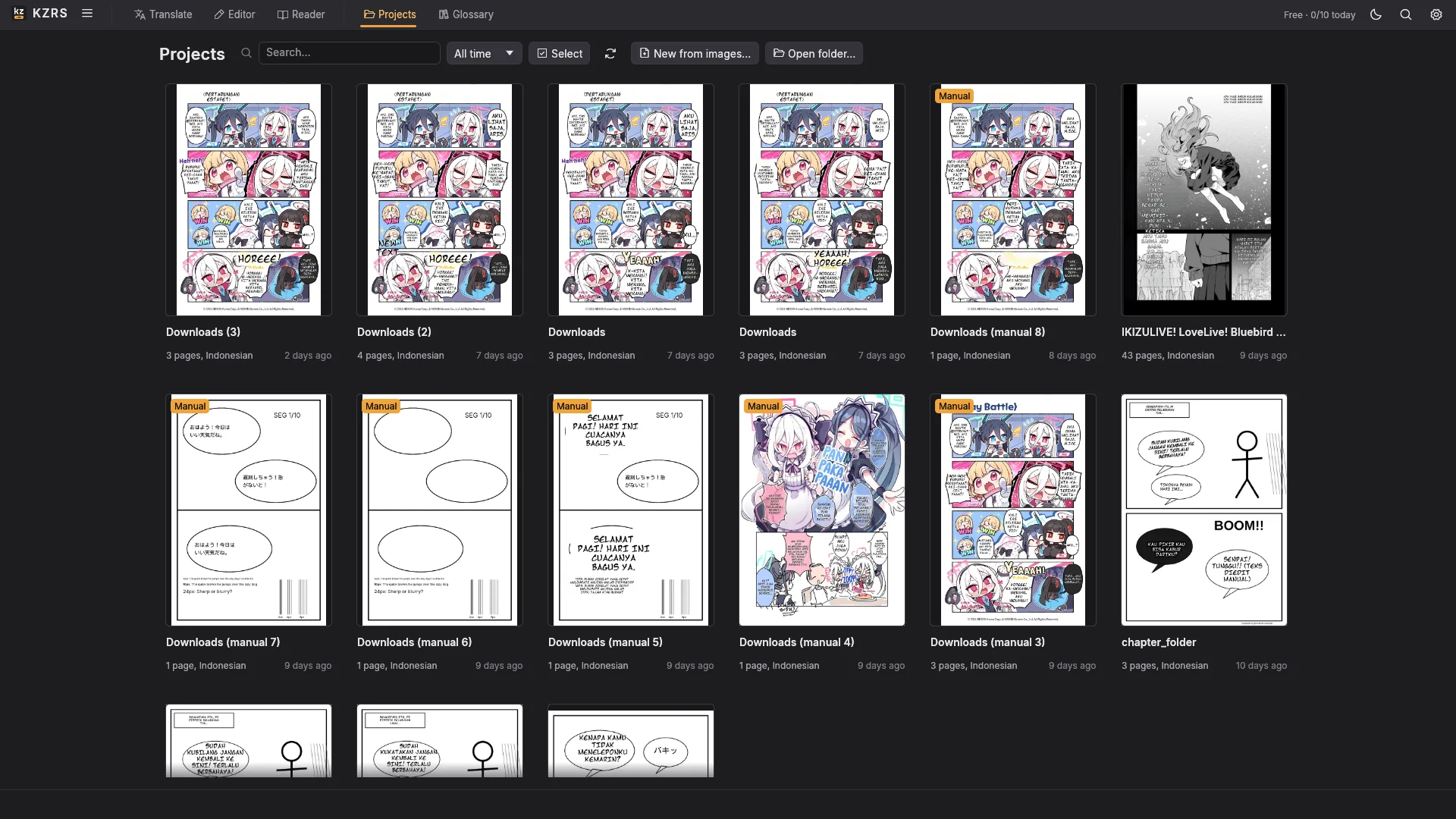
What is included
On-device vision
A native app written in Rust, no Electron. Bubble detection, OCR, inpainting and typesetting run locally. Only the text goes to the AI, never the images.
Any AI provider
Gemini, Claude, OpenAI, OpenRouter, Zen, OpenCode Go or any OpenAI-compatible endpoint, including local models.
16 target languages
Indonesian, English, Malay, Javanese, Spanish, Japanese, Korean, Chinese and more, with genre styles from comedy to action.
Clean lettering
LaMa or Telea inpainting, bubble-aware line breaks, vertical Japanese, five bundled comic fonts and your own fonts (TTF, OTF, WOFF or a ZIP bundle).
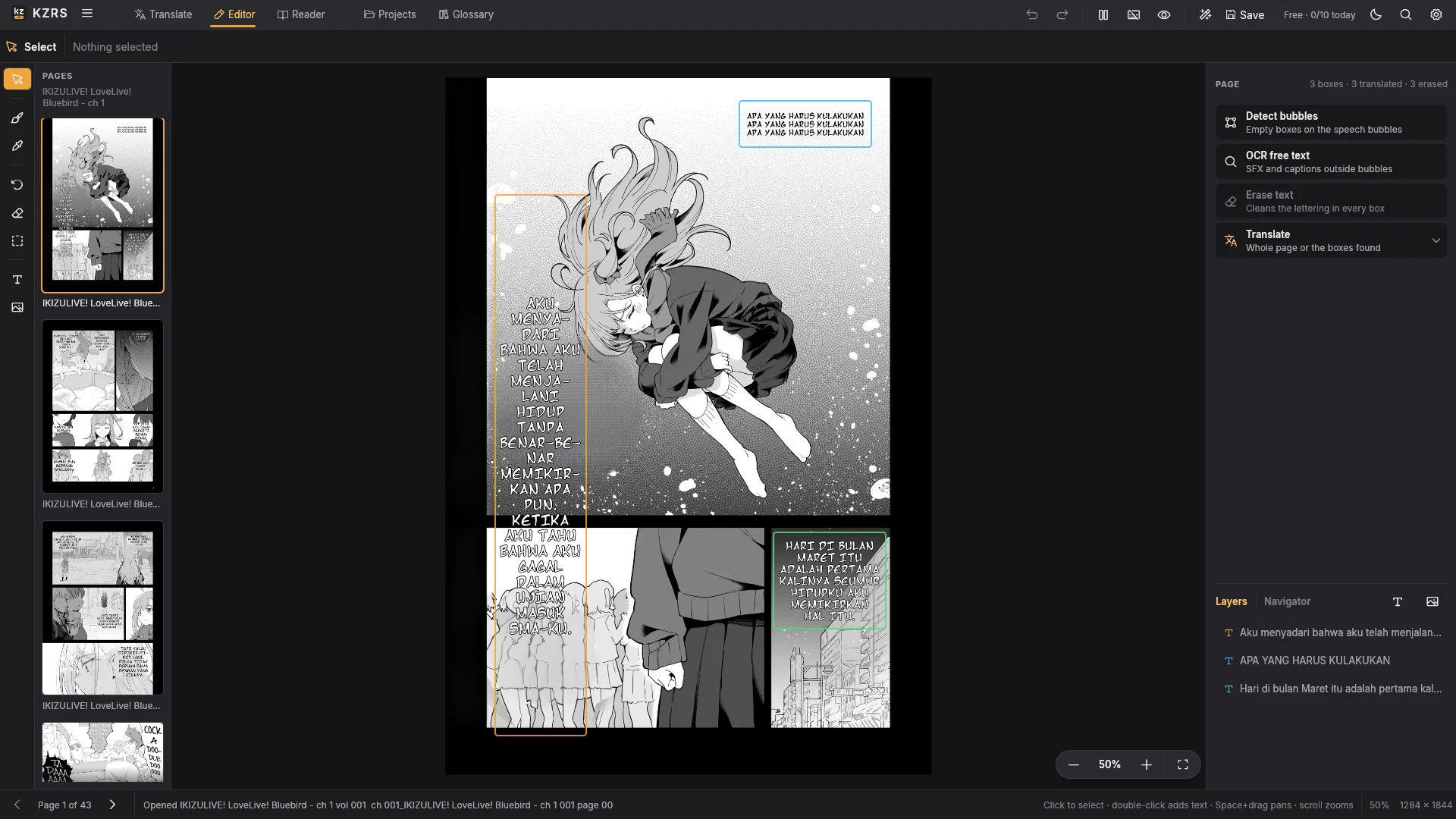
Page editor
Style presets, drawn speech bubbles, formatting inside a line, layers and pictures, select by rectangle, restore the original, rename or delete pages with a trash, undo per page.
Glossary
Keep names and terms the same across every page and chapter.
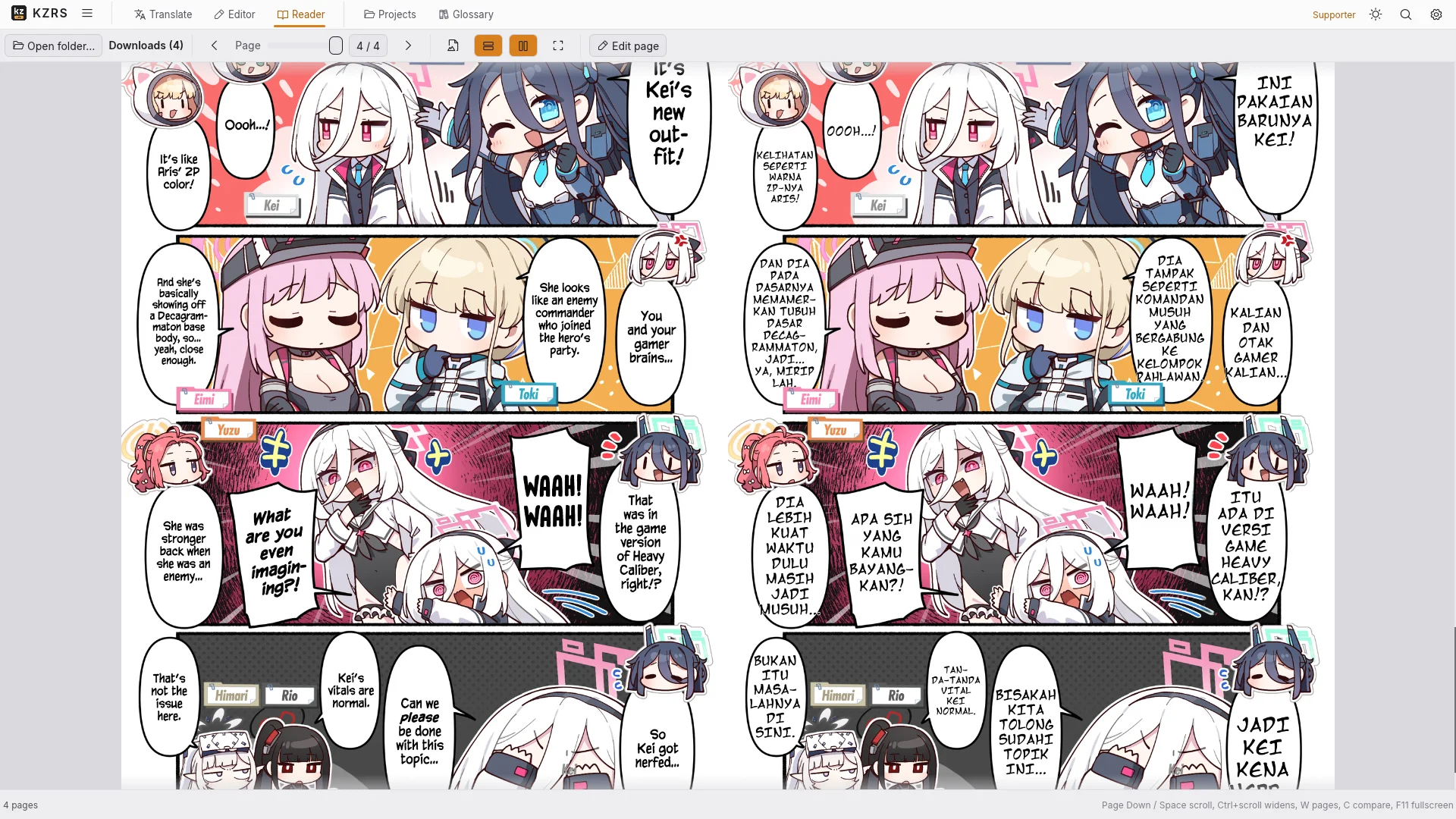
Reader and export
Page or webtoon reading, side-by-side compare, export to CBZ or PDF, or a .kzrs project file that opens on another computer with every edit.
AI agents
Supporters get a CLI and an MCP server, so Claude Code, OpenCode or Codex can check and fix pages.
Images are not uploaded
Only the bubble text is sent to the AI provider you pick. With a local model, nothing leaves the computer.